
Start with the common case
Process PDF invoices first, then add scans, email attachments, XML, and e-invoices through the same API when the workflow grows.
Explore productDocument extraction API
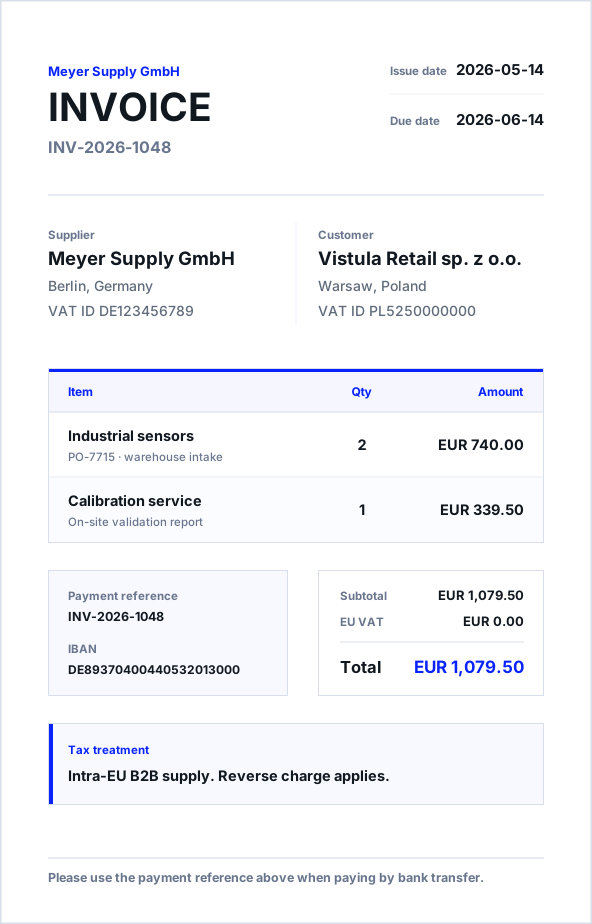
Start with a PDF invoice. exdata extracts the fields that matter, keeps the evidence visible, and returns clean JSON for accounting, archive, ERP, and back-office systems.
Why teams use it
Teams usually do not need another OCR dump. They need invoice numbers, suppliers, totals, tax rows, due dates, and payment details in the system that runs the workflow.
exdata is built for a controlled path from sample PDFs to production automation: test the result, inspect the evidence, then connect the downstream system.
Process PDF invoices first, then add scans, email attachments, XML, and e-invoices through the same API when the workflow grows.
Explore productExtract document numbers, parties, IBAN/BIC, due dates, totals, VAT IDs, tax rows, cost centers, and references as normalized JSON.
See use casesTest with sample PDFs, inspect the result, and move to production only when polling, webhooks, and mapping are ready.
Review creditsExplore
Production workflow
Developers get a clean API. Operations teams still get the states, previews, run metadata, blocked reasons, and account controls they need when automation meets real documents.
Controlled rollout
Developer teams get a stable API while operations can inspect extraction runs, blocked documents, and source previews.
Finance and operations teams can move invoice handling into workflows with status, audit context, and JSON outputs.
Account tokens, test mode, usage separation, and top-up controls support cautious rollout before larger production volume.
Start with one document